
How to Redeem Escape from Uncle Codes
Step-by-step redeem UI checklist, group join tips, and phishing-safe habits.
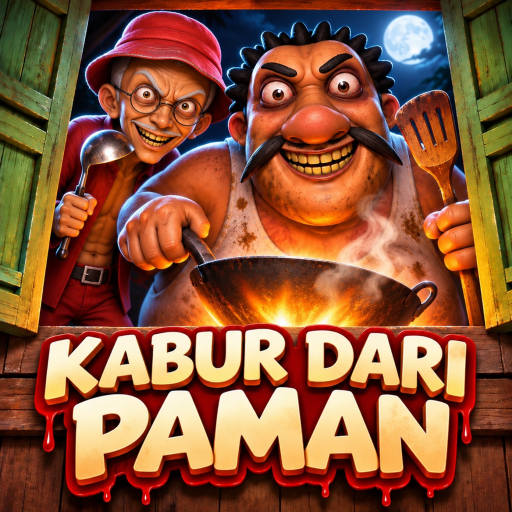
When DevFian Labs eventually drops a promo string for Escape from Uncle on Roblox (Kabur Dari Paman / Escape from Uncle [HORROR]), you want the redeem path memorized — not a panic search through scam sites. This page is the dedicated how to redeem checklist that sits under the parent Codes Hub. It covers the in-experience UI flow, why the active list is still empty as of November 2026, why joining the creator group matters, and the hygiene rules that protect your account while you wait.
Progress in this game still comes from crowbar (linggis) routing, padlock papers, and co-op timing — not from inventing gift codes. Pair redemption prep with real play guides: Getting Started, How to Escape, Co-op Tips, and the Escape Checklist.
Current reality check (November 2026)
- Confirmed active promo codes: none.
- What that means: there is nothing legitimate to paste today.
- What to do anyway: learn the redeem UI, join DevFian Labs on Roblox, favorite the official experience, and bookmark the Codes Hub for the day a real string appears.
Empty lists are honesty, not unfinished wiki work. Fake “FREE CROWBAR 2026” graphics on short-form video apps are noise until the studio or the official experience surface a code.
Official places to launch (never phishing clones)
- Open Roblox and go to the official game page for Escape from Uncle / Kabur Dari Paman — place ID
77832639330270: Escape from Uncle on Roblox. - Confirm the creator line points at DevFian Labs, not a lookalike place with a similar thumbnail.
- Like and favorite the experience so relaunching after a busy week is one click.
- Optionally keep the Updates hub open in a browser so patch notes explain UI moves after a ship.
If a stranger DMs you a “new code site” that asks for your password, cookie, or .ROBLOSECURITY token, stop. That is account theft cosplay, not redemption support.
Step-by-step redeem UI checklist
Roblox horror experiences usually park Codes / Twitter / gift / rewards entry points on the title screen, pause menu, shop panel, or a HUD button. Exact labels change after updates, so treat this as a behavior checklist:
- Launch the official Escape from Uncle experience from the Roblox game page above.
- Wait for full load into lobby or menu. Spamming redeem while assets stream causes false invalid results.
- Find the Codes panel — look for words like Codes, Rewards, Gift, Twitter, or a ticket/gift icon. Check title UI first, then pause/settings, then shop.
- Copy the code from a trusted source (DevFian Labs group shout, in-game banner, or this wiki’s Codes Hub once a string is verified). Do not retype from memory if the code mixes
0andO. - Paste exactly into the field. Strip leading or trailing spaces. Respect capitalization if the code is case-sensitive.
- Confirm with the redeem / submit button.
- Verify the reward via toast notification, inventory, currency counter, or cosmetics panel.
- On failure: leave the experience once, rejoin, retry once. Still failing? Re-check expiry and spelling before blaming the servers.
If no Codes button exists in your build, codes are simply not enabled that day. Do not install executors, “auto redeem” injectors, or browser extensions that promise to force gifts. That path risks your account and crosses into exploit territory — see Scripts for policy context and stay on legitimate UI only.
Why there are no confirmed codes (Nov 2026)
Escape from Uncle released on 2025-09-07 and grew as a co-op crowbar-and-padlock horror loop with Normal/Hard modes and secret endings for Uncle Muthu and Ah Tong. Promo codes are optional marketing tools, not a required layer of that design. As of November 2026, community-facing lists that claim dozens of working strings have not held up to in-client verification on this wiki’s standards.
We would rather publish an empty active section on Codes than pad the page with expired guesses. When a real code appears, update order is: verify in-client → note reward → note expiry if stated → publish on the hub → link from Updates.
Join DevFian Labs (best early-warning habit)
Joining the creator community does not invent codes, but it puts you closer to official shouts when a promo does go live:
- Group link: DevFian Labs community
- Watch group wall / shoutouts after patches
- Cross-check any viral code against the group and the Codes Hub before redeeming
Creator groups also surface soft news about map swaps, uncle variants, and event timing that affect whether you should be hunting Normal clears, Hard clears, or lore nights documented under Secret Endings and Endings Comparison.
Safe redeem hygiene
- Redeem only inside the official Roblox client and the official experience.
- Never paste codes into random websites that ask you to “log in with Roblox” for a gift.
- Never trade “code access” for limiteds, off-platform payment, or Discord nitro scams.
- Ignore DMs that claim they need your account to “apply the code for you.”
- Report phishing links with Roblox’s official reporting tools.
- Teach newer friends the empty-list truth so they stop clicking malware thumbnails labeled as Escape from Uncle codes.
Safe hygiene matters more while the confirmed list is empty, because scam density rises when players are hungry for freebies.
What codes will not do
Even a future legitimate promo is unlikely to:
- Auto-clear Hard Mode
- Skip padlock paper routing
- Grant Uncle Muthu or Ah Tong secret endings
- Replace co-op callouts from Co-op Tips
- Fix bad camera habits covered in Controls
Treat gifts as cosmetics or convenience if they arrive. Treat crowbar discipline as the real reward loop. Character pages still help more than rumor codes: Uncle Muthu, Ah Tong, Players Hub.
Troubleshooting redeem failures
| Symptom | Likely cause | Fix |
|---|---|---|
| Invalid code | Typo, expired, or fake list | Re-copy from Codes Hub / group; check date |
| Button missing | Build not accepting codes | Stop; do not use executors |
| No reward toast | Lag or wrong inventory tab | Rejoin once; check cosmetics/currency panels |
| Site asks for password | Phishing | Close tab; secure account |
| “Working codes” TikTok spam | Unverified clutter | Trust empty official list until proven otherwise |
After you redeem (future drop playbook)
- Note the reward in your squad Discord so nobody redeems twice expecting duplicates.
- Screenshot the success toast if the code is limited — helpful if support ever asks.
- Return to a Normal clear night; do not let gift excitement cancel practice.
- Skim Updates in case the promo bundled a map or UI change.
- Tell the wiki workflow (and your friends) that the Codes Hub active list should now show the string.
Related pages
- Codes Hub — parent list and status
- Updates — patch and promo timing
- Guides Hub — escape tutorials that actually progress the game
- Scripts — why executors are the wrong redeem tool
- Tools — checklists for co-op nights
- Tier List — item priority when you optimize clears
How to redeem Escape from Uncle codes is mostly a patience skill right now: keep the UI path ready, join DevFian Labs, refuse phishing, and play the crowbar-and-padlock game the studio actually shipped. When a confirmed code finally lands, you will be the friend who pastes once, claims the gift, and still makes RALLY EXIT on time.
Frequently Asked Questions
Quick answers for Escape from Uncle horror escape runs.
Are there any Escape from Uncle codes to redeem right now?
As of November 2026 there are no confirmed active promo codes. Follow the Codes Hub and the DevFian Labs group for real drops instead of fake social lists.
What is the step-by-step way to redeem a code?
Launch the official experience, wait for full load, open the Codes or rewards panel, paste the string exactly, confirm, then check inventory or toasts. Rejoin once if it fails.
Where is the DevFian Labs group?
Join the DevFian Labs community at https://www.roblox.com/communities/127120076 for shouts and patch-adjacent news when promos appear.
What if my game has no Codes button?
Then that build is not accepting codes. Do not use executors or third-party auto-redeem tools; wait for an official UI.
Is it safe to redeem codes on random websites?
No. Redeem only inside the official Roblox client. Sites that ask for your password or cookie are phishing.
Will redeeming codes help me beat secret endings?
Unlikely. Secret endings for Uncle Muthu and Ah Tong still need in-world routing covered in the Guides hub, not gift strings.